Starting with the audience
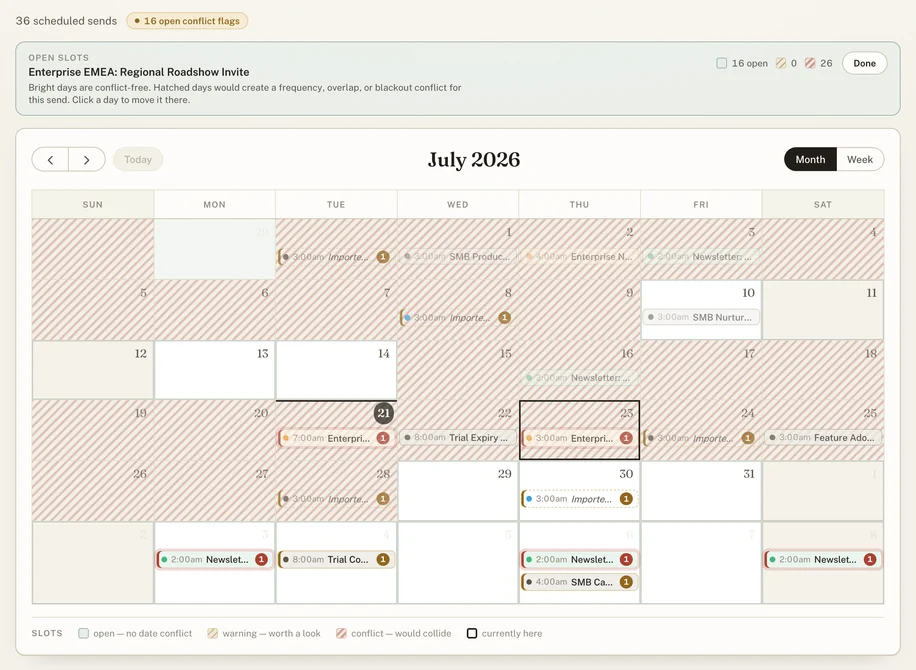
Marketing teams can have beautifully organized schedules and still reach the same people too often. A launch, a webinar invitation, and a customer program may belong to different teams while competing for the same audience.
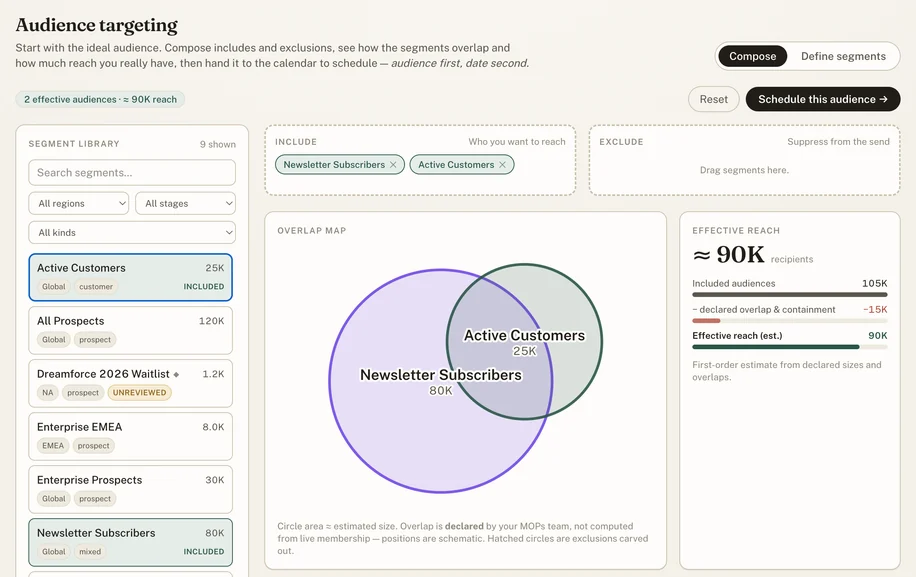
Audience Calendar treats the audience-facing send as the core planning object. The useful question becomes: who receives this, who owns it, and what else might conflict?
The decisions I made
I set the architecture around priorities I learned working with marketing ops teams and campaign managers. Three choices shaped it.
Explain the conflict.
The app checks for frequency pressure, audience overlap, blackout windows, missing metadata, and unreviewed custom segments. A planner should be able to see why a flag appeared.
Put permissions with the data.
Postgres row-level security handles team-scoped edits, and stakeholders see a restricted view. The permission boundary sits below the interface, where it can’t be skipped.
Keep the data boundary narrow.
The Marketo import accepts aggregate list IDs, names, and member counts. It previews changes before applying them. It doesn’t import contact records or write back to Marketo.
What the data can tell us
The app models declared audience relationships and estimated reach. Those are planning inputs, not measurements of live subscriber overlap. Making that distinction visible helps people use the information appropriately.
What else is this audience receiving that week?
Where it stands
This one is mine end to end. I scoped it, set the priorities, chose the architecture, and steered every iteration across many working sessions, with Claude and Codex as my coding tools. Its CI run on August 16, 2026 passed 182 automated database tests, plus lint, typecheck, and build checks.
I built it because I kept running into the same problem on every marketing team I’ve worked on. Who’s receiving what, and when, gets messy and impossible to visualize with traditional charts or calendar tools. It ends up being tracked by hand, verbally, or not at all (hoping send limits will catch issues).
Audience Calendar puts that coordination in one shared place and checks each send against the others as plans change. I’ve seen this approach open up promotion windows that make each email send more impactful, while reducing email fatigue and unsubscribes of the core target persona. It’s also built with sharing in mind: configurable views designed with the right level of detail and edit access to comfortably share with the broader marketing org, sales, etc.